Forza Horizon 5
Forza Horizon 5
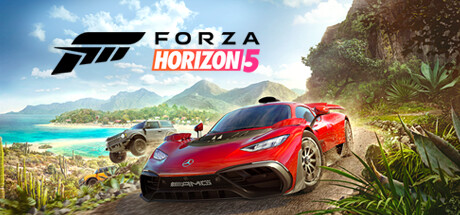
Explore the vibrant open world landscapes of Mexico with limitless, fun driving action in the world’s greatest cars.
Tweaks & Tricks
- Add the following to your launch options:
%command% -skipstartupmovies
- Add the following to your launch options:
reopening and closing photo mode fixes it %command%
Verdict
Forza Horizon 5 Review
Forza Horizon 5 is an absolute triumph, pushing the boundaries of what’s possible in open-world racing games. Set against the stunning backdrop of Mexico, this installment offers unparalleled visuals, a vast array of cars to collect and race, and an engaging campaign that keeps you glued to your seat.
Graphics: 10/10 Forza Horizon 5 is a technical marvel. The game’s use of ray tracing, dynamic weather, and time-of-day system creates a living, breathing world that’s simply breathtaking. Every car model is meticulously detailed, and the sense of speed is unmatched.
Gameplay: 9/10 The core gameplay remains as exhilarating as ever. With hundreds of cars to collect, race, and customize, there’s always something new to experience. The addition of a dynamic weather system that affects handling adds an extra layer of challenge and fun.
Sound: 8/10 The sound design is top-notch, with realistic engine noises and immersive environmental audio. The soundtrack is also excellent, featuring a mix of genres that complement the game’s diverse range of cars.
Story/Mission Design: 7/10 While not the main focus, Forza Horizon 5’s story and mission design are solid. You’ll progress through a series of challenges set by various characters, each offering their own unique perspective on car culture.
Replayability: 9/10 With endless hours of gameplay to be found in both the campaign and online multiplayer, Forza Horizon 5 offers incredible replayability. The game’s constant stream of updates ensures there’s always something new to do.
Buy or Avoid? If you’re a fan of racing games, open-world experiences, or simply stunning visuals, Forza Horizon 5 is an absolute must-play. It sets a new standard for what’s possible in the genre and offers an unparalleled gaming experience. Buy it now!
Tier: Gold