STAR WARS™: The Old Republic™
STAR WARS™: The Old Republic™
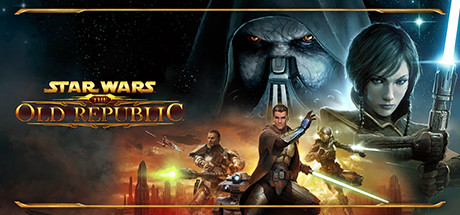
STAR WARS™: The Old Republic™ is a free-to-play MMORPG that puts you at the center of your own story-driven saga. Play as a Jedi, Sith, Bounty Hunter, or one of many other iconic STAR WARS roles in the galaxy far, far away over three thousand years before the classic films.
Tweaks & Tricks
- To switch to older version 9.0-4 in STAR WARS™: The Old Republic™, add the following to your launch options:
%command%
Verdict
STAR WARS™: The Old Republic™
As a seasoned MMO player, you’ll find STAR WARS™: The Old Republic™ to be an immersive and engaging experience set in the beloved Star Wars universe. With its rich storylines, diverse classes, and expansive galaxy to explore, it’s easy to get lost in this epic adventure.
The game shines with:
- Story-Driven Gameplay: SWTOR offers a compelling narrative experience with fully voiced cutscenes and dialogue choices that truly matter.
- Class Variety: With eight unique classes and numerous advanced classes, there’s plenty of room for customization and experimentation.
- Galactic Scale: From the bustling streets of Dromund Kaas to the ancient ruins on Belsavis, SWTOR delivers a vast and diverse galaxy to explore.
- Community & PvP: With active guilds, strong PvP systems, and regular events, there’s always something happening in this thriving community.
However, some aspects might deter you:
- Age: As an MMO released in 2011, SWTOR shows its age with dated graphics and some gameplay mechanics that feel outdated.
- Subscription Model: While there is a free-to-play option, the full experience requires a subscription or purchasing game time.
Buy if you’re a Star Wars fan looking for a rich story-driven MMO experience. Avoid if you prefer modern graphics and are put off by subscription models.