Warhammer 40,000: Space Marine 2
Linux Gaming Check: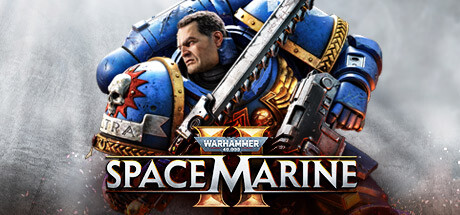
Warhammer 40,000: Space Marine 2
Embody the superhuman skill and brutality of a Space Marine. Unleash deadly abilities and devastating weaponry to obliterate the relentless Tyranid swarms. Defend the Imperium in spectacular third-person action in solo or multiplayer modes.
STATUS REPORT
Status: 🟡 Problems / Workaround Available | ProtonDB: GOLD
Tweaks & Tricks
PROTON: WARHAMMER 40K: SM2
Warhammer 40,000: Space Marine 2 is currently experiencing game-breaking crashes.
FIX
- Add the following to your launch options:
-dx12
PROTON: WARHAMMER 40K
Warhammer 40,000: Space Marine 2’s multiplayer mode is currently unplayable, while cooperative play experiences occasional severe frame rate drops of up to 10 seconds.
FIX
- Add the following to your launch options:
gamemoderun %command% -fps_max 75.
WARHAMMER 40,000: SPACE MARINE II
Loading times are significantly increased in Warhammer 40,000: Space Marine 2.
FIX
- Add the following to your launch options:
Disable your CPU's SMT before playing %command%
MORE INFORMATION
You can find more detailed reports and user experiences for Warhammer 40,000: Space Marine 2 on the official ProtonDB page.
Verdict
VERDICT
Warhammer 40,000: Space Marine 2
Gold Tier
Warhammer 40,000: Space Marine 2 delivers an intense and satisfying third-person shooter experience set in the iconic Warhammer 40,000 universe. With improved visuals, tight gunplay, and a compelling narrative, this sequel is a must-play for fans of the franchise and action-packed shooters alike.
Buy if you’re looking for:
- A thrilling, story-driven shooter experience set in the Warhammer 40,000 universe.
- Tight, responsive gunplay with a variety of weapons and abilities.
- Impressive visuals that bring the grim darkness of the far future to life.
Avoid if you’re not interested in:
- A linear, story-focused campaign with minimal open-world exploration.
- A game that relies heavily on its source material for context and enjoyment.